 Tabtile
Press kit
Everything you need to write about Tabtile. Use the texts and images freely in an article or video about it. For a free license to review Tabtile, or any question, write to [email protected].
In one line
Tabtile is a Mac window manager that puts windows back after sleep and monitor changes: tiles you draw, dividers that move both neighbours, and a layout for every desktop.
In a paragraph
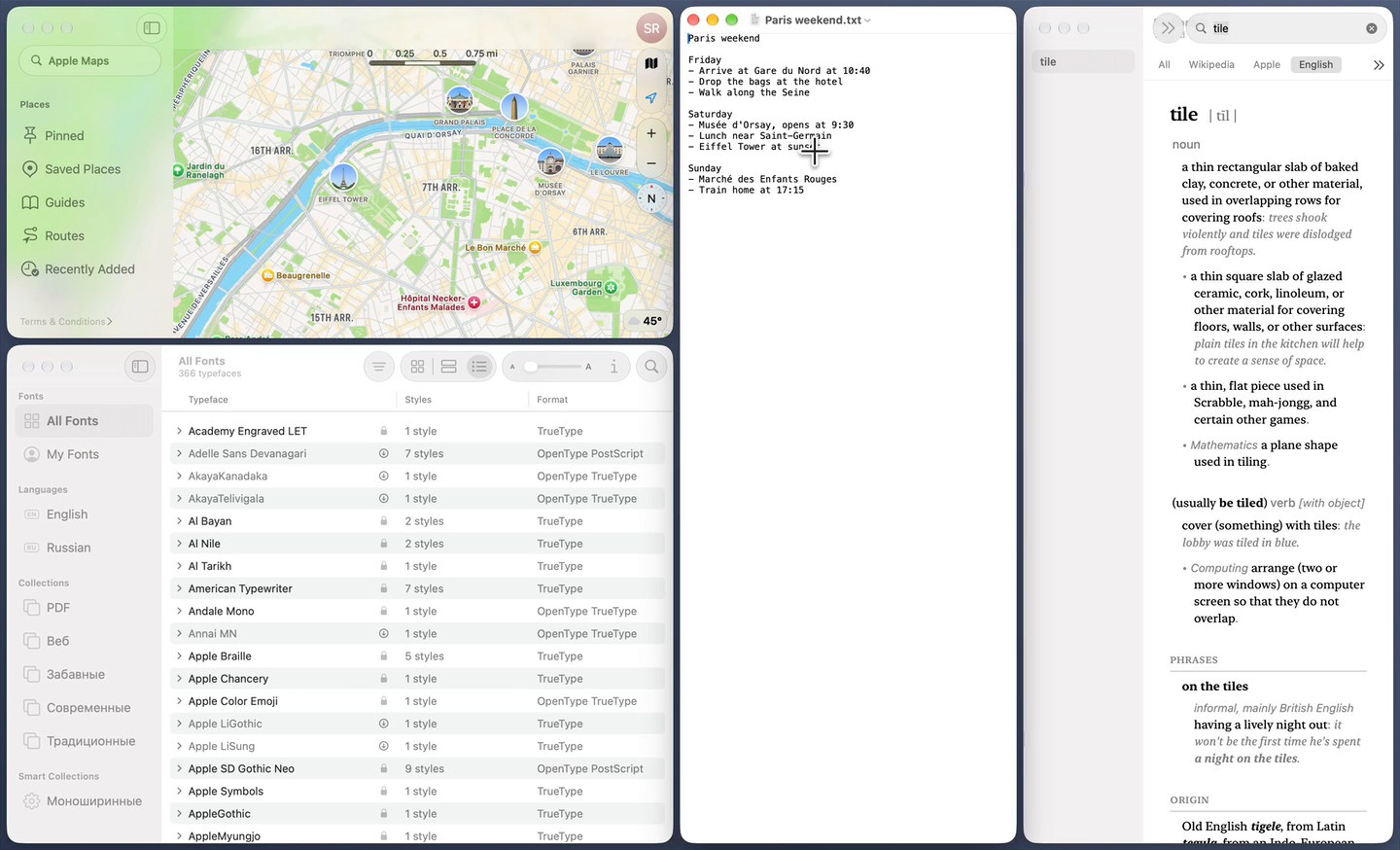
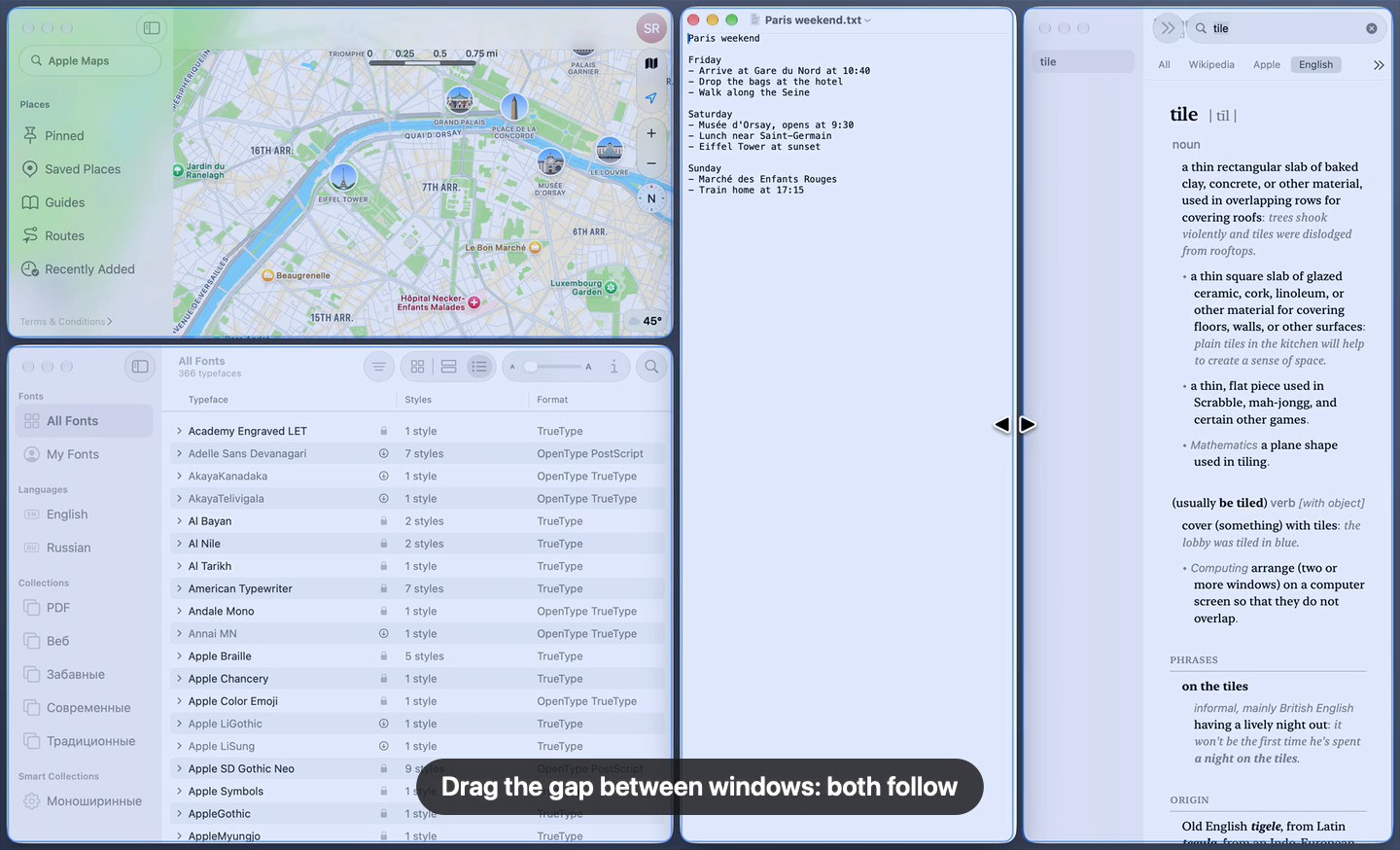
Tabtile keeps your windows where they belong. You draw a preset of tiles once and give each tile its apps; a window that opens later goes into its tile by itself. Drag the gap between two windows and both follow. Several apps can share a tile, with a switcher on its edge. Each desktop keeps its own preset, and it can differ between a monitor and the laptop screen. Display modes, rules and window positions come back when a monitor is plugged in again or the Mac wakes up, and the built-in screen can turn off while a monitor is connected.
Facts
| Name | Tabtile |
|---|---|
| Made by | Sasha, an independent developer (crazycorp) |
| Public launch | 4 December 2026 |
| Runs on | macOS 14 Sonoma or later. Signed with a Developer ID and notarized by Apple. Not on the Mac App Store: its sandbox doesn't allow moving other apps' windows |
| Price | 7 days free from the first launch, no account and no card. Then $11.99 once with a year of updates, or $3 a month until it's yours ($16.99 in total). Launch price $8.99 once, through 25 December 2026 |
| Languages | English and Russian |
| Website | tabtile.app |
| Contact | [email protected] |
What sets it apart
- Tiles keep their apps. Windows that open later go to their tile without a layout being run.
- Dividers move both neighbours in any layout you draw, with an outline of where the windows will land.
- A preset for every desktop and display, switched on by itself when you change desktops or plug in a monitor.
- Stacks: several apps in one tile, with a switcher on its edge.
- Back after sleep: display modes and where windows stood return when a monitor comes back.
Screenshots and video
Click an image for the full size (1440×874).
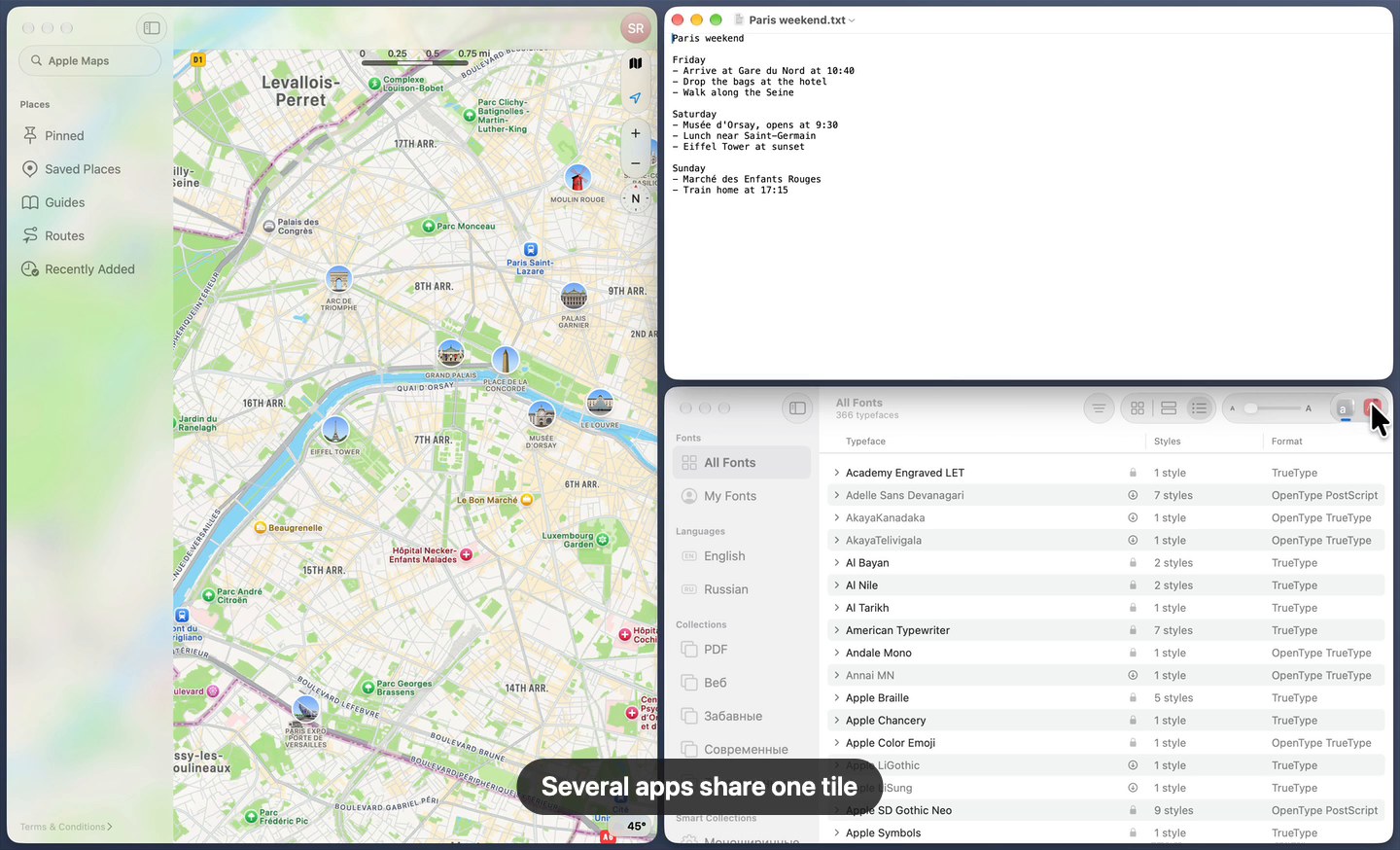
Demo video, 27 seconds, 1440×874, no sound: English, Russian. App icon: PNG, 1024×1024.